Support › Get Started

Get Started with CreditReports.dk

Step-by-step instructions to gain access to hundreds of thousands of companies' financial data and credit ratings in just a few minutes.

Here you will find step-by-step instructions on how to get started with our service. If you have already registered and need platform support, visit our Platform Tutorials or contact us directly.
1

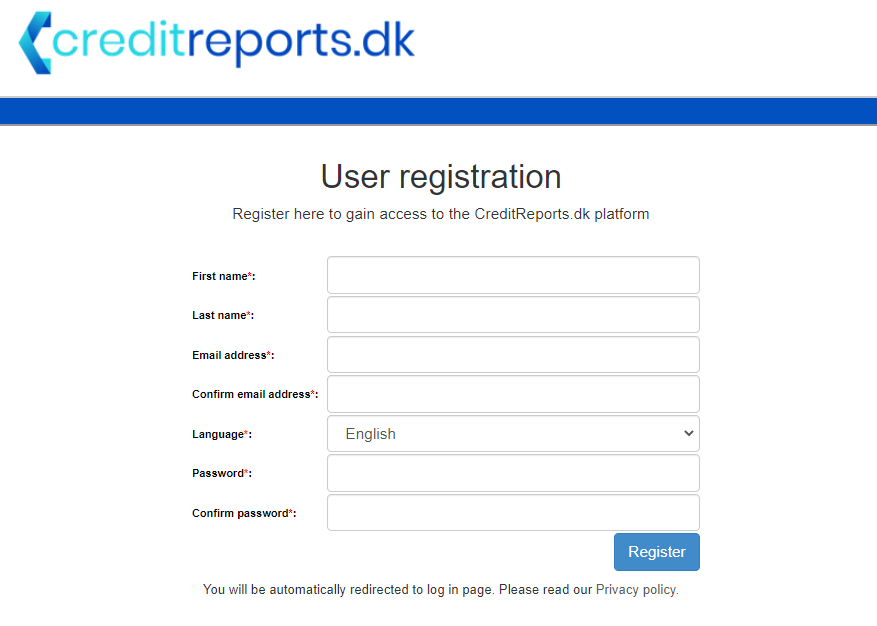
Register to the system

Register by filling in the necessary details. After registration you will receive a confirmation email and be directed to the login page. Registration is free and you can start using the system immediately — no payment required during beta.

Registration page screenshot
2

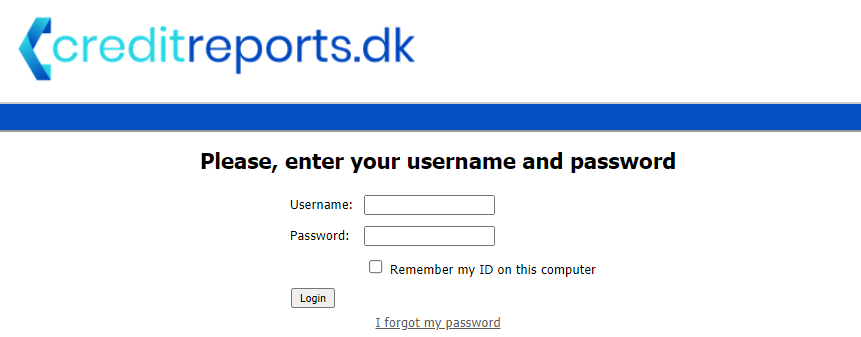
Log in

After registering you can immediately log in and start improving the quality of your decision-making with free credit reports. You will be automatically redirected to the login page after registration.

Login page screenshot
3

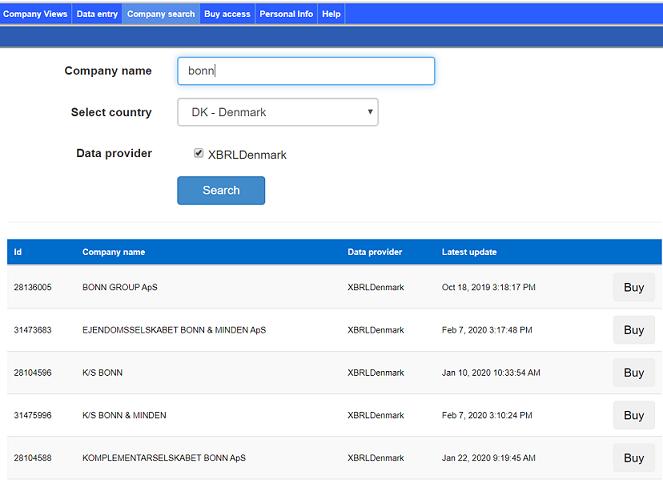
Find a company

After logging in, navigate to the Company Search tab. The search interface allows you to easily find the company you are looking for and download financial information into our system, where it can be viewed and adjusted.

Company search interface
4

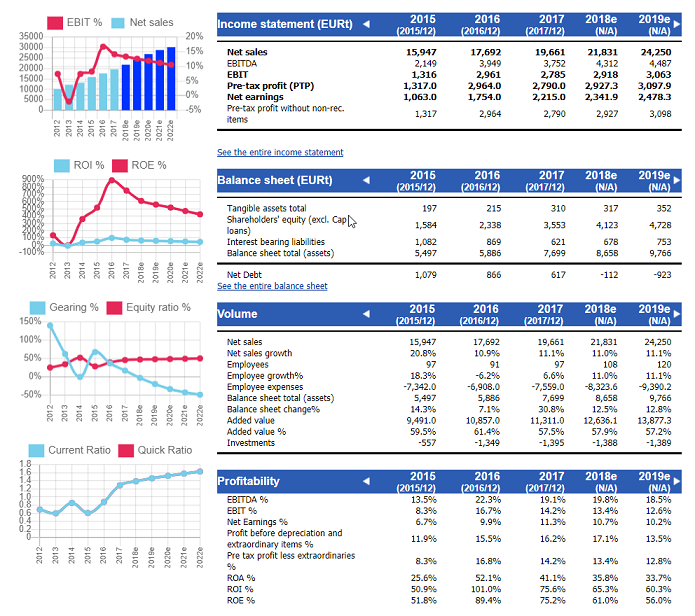
View data and generate estimates

The CreditReports.dk platform comes with a feature that allows you to generate automatic estimates based on historical data. Automatic estimates make inputting your own predictions easier and provide a strong starting point for credit analysis.

Company overview with data and estimates
5

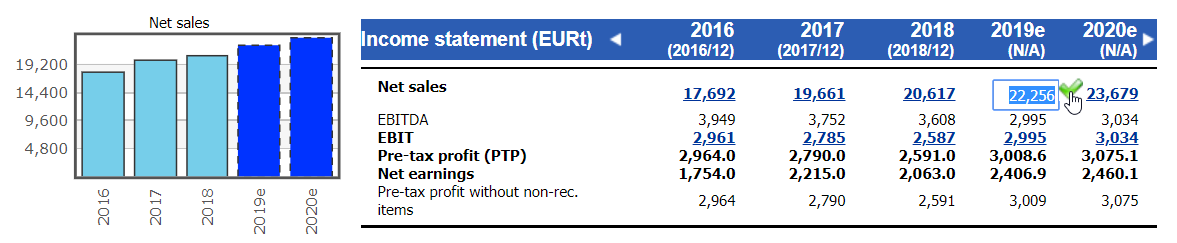
Adjust estimates

With our easy-to-use browser tool you can adjust system-generated estimates to better reflect future scenarios. You can even re-generate automatic estimates so that they are based on your own inputs.

The view when adjusting estimates
6

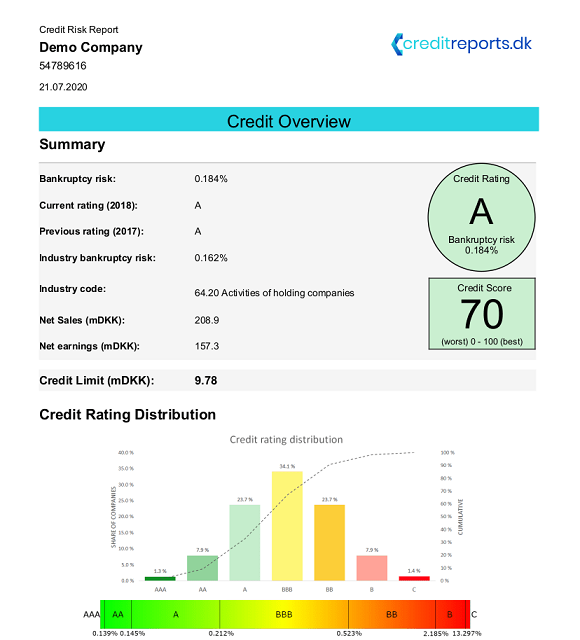
Download your credit report

Once you are happy with your estimates, you can print a complete credit report with a click of a button. The report includes credit risk, credit rating, and credit limit — all estimated using our state-of-the-art machine-learning model.

Credit risk report cover page